
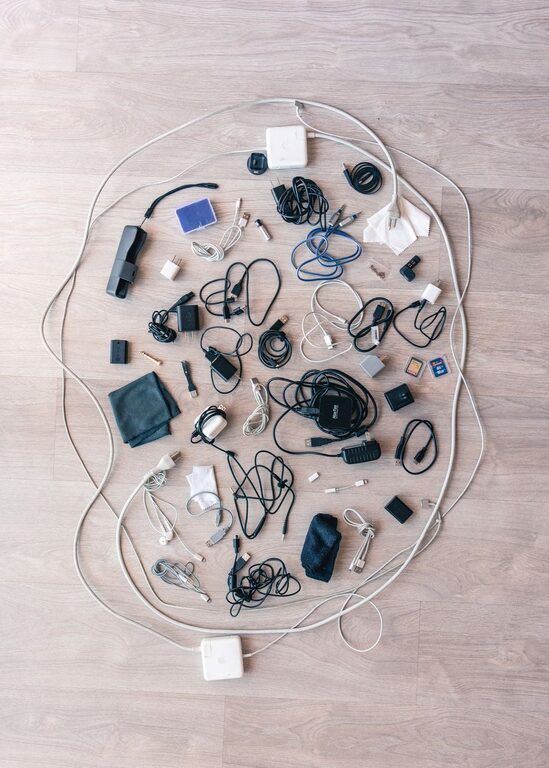
Keeping cables and chargers neat and organized can make a big difference in your workspace or living area. With many devices requiring power and connectivity, tangled cords and cluttered drawers are common frustrations. Fortunately, a few simple steps can help you maintain order, protect your equipment, and save time searching for the right charger or cable.
Why Organizing Cables Matters
Before diving into how to organize cables, it’s worth understanding the benefits:
– Reduced clutter: Eliminates the mess and visual chaos caused by tangled wires.
– Increased lifespan: Proper storage prevents cables from bending or breaking.
– Safer space: Minimizes tripping hazards and prevents cords from catching on objects.
– Ease of access: Saves time by keeping everything labeled and easy to find.
Now, let’s explore practical methods to achieve these benefits.
Step 1: Gather and Sort Your Cables
Start by collecting all your cables and chargers from around your home or office. This includes phone chargers, USB cords, HDMI cables, power cords, and others.
– Sort by type: Group cables based on their function, such as charging cables, audio cables, or computer cables.
– Discard old or broken cables: Toss ones that no longer work to reduce clutter.
– Label cables: Use tags, stickers, or even masking tape to mark what each cable belongs to. This helps during storage and future use.
Step 2: Choose the Right Storage Solutions
Different cables and chargers require different storage methods depending on their length, flexibility, and frequency of use.
For Everyday Use
If you need quick access to chargers and cables, consider:
– Cable organizers with compartments: Small boxes or cases with dividers can separate cables.
– Cable clips or holders: Attach these to your desk or wall to keep frequently used cables accessible and tangle-free.
– Charging stations: Multi-port charging hubs can keep several devices powered while managing cords neatly.
For Long-Term or Infrequent Storage
For cables you use less often:
– Ziplock bags or small pouches: Store each cable individually to avoid tangles.
– Drawer organizers: Use trays with compartments or DIY dividers to separate cables.
– Cable wraps: Velcro straps, silicone bands, or twist ties keep cables coiled and secure.
Step 3: Wrap and Secure Your Cables Properly
Wrapping cables the right way prevents damage and makes them easier to store.
– Over-under technique: This method reduces twisting and extends the life of cables. Alternate loops in an over and under pattern as you coil the cable.
– Use Velcro straps or reusable ties: Avoid using rubber bands as they can degrade and stick to cables.
– Avoid tight bends: Keep coils loose enough to prevent damage.
Step 4: Label Everything Clearly
Labels save time and frustration. Some labeling ideas include:
– Color-coded tags: Assign colors to device categories or family members.
– Numbered labels: Match numbers on cables to a reference list or device.
– Write on masking tape: Use a marker to write device names on tape wrapped around cables.
Step 5: Maintain Your System Regularly
Organization is an ongoing task. To keep cables neat:
– Periodically review your collection and remove cables you no longer need.
– Re-coil and secure cables after use.
– Update labels as you add new devices or cables.
– Clean storage areas to avoid dust buildup.
Handy Tips and Tricks
Here are some additional ideas to help your cable organization:
– Use binder clips clipped to the edge of a desk as makeshift cable holders.
– Repurpose empty toilet paper rolls as cable sleeves.
– Install a power strip with USB ports to reduce the number of separate chargers.
– Use a pegboard on the wall to hang cables with hooks.
– Keep a small pouch or box with extra cable ties and labels nearby.
Conclusion
Organizing cables and chargers neatly doesn’t have to be complicated or expensive. By sorting, labeling, using the right storage solutions, and wrapping cables correctly, you can create a tidy and efficient space. With a little effort and regular maintenance, you’ll enjoy less clutter, safer surroundings, and easier access to all your tech accessories. Start today and experience the difference an organized setup makes!